
How to Organize Large PDF Documents for Business Use
A comprehensive guide to best practices, file management tips, and essential PDF productivity tools to keep your corporate workflows efficient and secure.
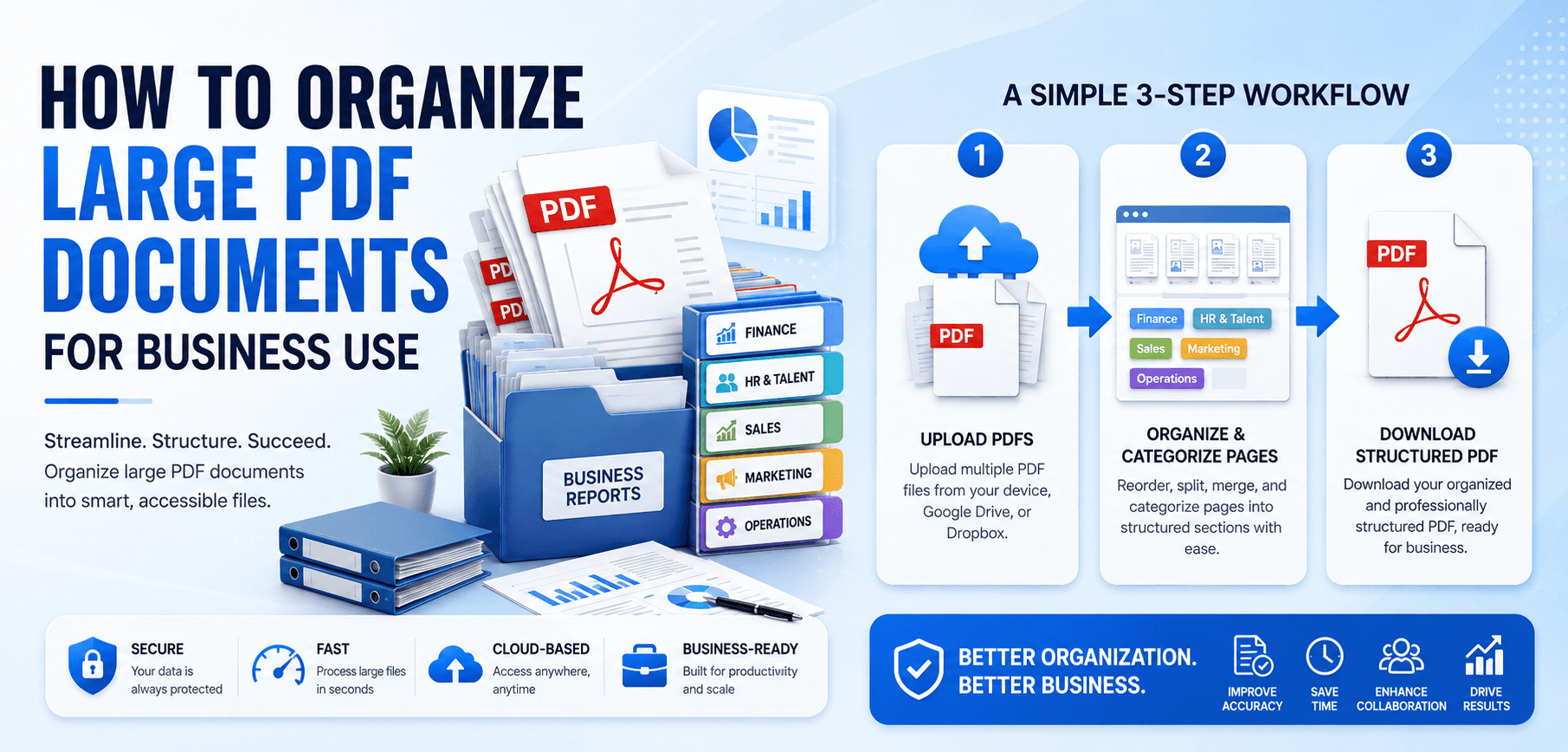
Why Large PDF Documents Become Difficult to Manage
It is common for organizations to struggle with PDF document management. Several factors contribute to the complexity:
- Growing Document Sizes: High-resolution images, embedded fonts, and interactive forms bloat file sizes, making them difficult to email or load.
- Multiple Contributors: When different departments collaborate on a single report without clear version control, chaos ensues.
- Scanned Files and Attachments: Legacy paper documents are often scanned as massive, unsearchable image-based PDFs.
- Compliance Requirements: Legal and financial regulations often require businesses to retain documents for years, leading to massive archives.
- Version Control Issues: Without a proper system, tracking "Final_Report_v2_FINAL.pdf" becomes a frustrating guessing game.
Benefits of Organizing PDF Documents for Business
Taking the time to organize PDF files offers substantial returns for your enterprise:
Improved Productivity
Employees spend less time searching for files and more time executing high-value tasks.
Faster Retrieval
A logical structure allows anyone to find critical data in seconds.
Enhanced Security
Organized environments make it easier to audit permissions and restrict access.
Reduced Costs
Compressing and archiving PDFs frees up expensive cloud or local server space.
10 Best Practices for Organizing Large PDF Documents
1. Create a Consistent File Naming System
Your file naming convention is the foundation of PDF document management. Establish strict naming rules for your team.
- Naming Conventions: Use standard formats, such as
[Project]_[DocumentType]_[Date]. - Date-Based Organization: Use the
YYYY-MM-DDformat (e.g.,2026-06-15_Financial_Report.pdf) so files sort chronologically by default. - Department-Based Structures: Include department codes (e.g.,
HR_,LEGAL_) to quickly identify document ownership.
2. Use PDF Bookmarks and Table of Contents
Navigating a 500-page business proposal without a roadmap is inefficient.
- Improve Navigation: Bookmarks allow readers to jump instantly to specific chapters.
- Faster Access: Stakeholders can find financial summaries or signature pages without endless scrolling.
- Better User Experience: A clickable Table of Contents presents a professional, polished image to clients.
3. Split Large PDF Files When Necessary
Sometimes, a single massive PDF is not the best approach.
- Extract Sections: If an annual report contains data for Sales, Marketing, and HR, split the PDF so each team only receives their relevant section.
- Improve Sharing: Smaller, focused files are easier to email, review, and process.
4. Merge Related PDF Documents
Conversely, fragmented files can be just as problematic as oversized ones.
- Combine Reports: Merge weekly status updates into a single monthly review document.
- Organize Contracts: Combine a master service agreement with its related statements of work and NDAs.
- Consolidate Documentation: Keep all blueprints, permits, and invoices for a specific project unified in one master file.
Pro Tip: PDF Splitting and Merging
Managing 1,000-page PDFs manually is impossible. Professional tools like a PDF Splitter or PDF Merger are essential to manipulate pages on the fly without printing and re-scanning documents.
5. Compress PDF Files for Better Storage
Storage space is expensive, and large files slow down your network.
- Reduce File Sizes: Modern PDF compressors can shrink file sizes by up to 80% without losing visual clarity.
- Improve Speeds: Compressed files pass easily through email attachments and upload quickly to CRM systems.
- Maintain Quality: Use tools that preserve the resolution of important graphs and text.
6. Add Metadata and Tags
Metadata acts as the DNA of your PDF document.
- Improve Searchability: Adding descriptive tags, author names, and keywords allows search functions to find files instantly.
- Enhance Document Systems: Enterprise tools rely on metadata to categorize and route documents automatically.
- Support Workflows: Tags help identify document status, such as "Draft," "Under Review," or "Approved."
7. Use Folder Structures and Categories
A logical hierarchy is essential for any business PDF organization strategy.
- Department-Based Folders: Separate files into top-level directories like
/Finance,/HR, and/Operations. - Project-Based Organization: Create sub-folders for specific initiatives (e.g.,
/Q3_Marketing_Launch). - Client-Specific Management: Keep all client interactions grouped by their company name or ID number.
8. Implement Version Control
Stop relying on confusing file names to track progress.
- Track Document Revisions: Use dedicated version control software or strict numbering conventions (v1.0, v1.1, v2.0).
- Prevent Duplicates: Ensure there is a "Single Source of Truth" directory for finalized documents.
- Improve Collaboration: Version control ensures everyone is reviewing the most current data.
9. Secure Sensitive Business Documents
Organizing documents also means protecting them from unauthorized access.
- Password Protection: Encrypt sensitive financial or HR files with strong passwords.
- Permission Controls: Restrict who can view, print, edit, or copy the contents of the PDF.
- Data Privacy: Regularly audit your security permissions to comply with GDPR, CCPA, and other data laws.
10. Use Cloud-Based PDF Management Solutions
Modern businesses must be agile and remote-ready.
- Centralized Storage: Cloud solutions eliminate the risk of files being trapped on a single employee's local hard drive.
- Remote Accessibility: Access your organized PDF archives securely from anywhere in the world.
- Team Collaboration: Cloud systems often include built-in version control and real-time commenting tools.
Common Business Use Cases
Legal Documents
Law firms and corporate counsel deal with massive discovery files and contract portfolios. Proper PDF organization—using bookmarks, splitting by case files, and strict security—ensures sensitive information is easily retrievable during litigation.
Financial Reports
Accountants handle ledgers, tax returns, and expense reports. Merging monthly invoices into quarterly PDFs, combined with compression and date-based naming conventions, dramatically speeds up the auditing process.
Human Resources Records
HR departments manage onboarding packets, performance reviews, and benefits documents. Using secure, department-based folder structures and permission controls ensures that employee data remains highly confidential and easily searchable.
Sales Proposals
Sales teams send complex proposals containing pricing, technical specs, and legal terms. Splitting large product catalogs and merging specific pages into tailored client pitches creates a professional, targeted buyer experience.
Project Documentation
Construction and engineering teams generate massive blueprints and project scopes. Consolidating project documentation into a single bookmarked PDF ensures contractors always build off the correct, current specifications.
Compliance and Audit Records
Regulatory compliance requires perfect record-keeping. Utilizing metadata, version control, and clear naming conventions ensures that businesses can produce required documentation instantly when regulators come knocking.
Essential PDF Tools for Business Users
To implement these best practices, your team needs the right PDF productivity tools:
- PDF Merger: Easily combine multiple reports, invoices, or contracts into a single cohesive document.
- PDF Splitter: Extract specific pages or chapters from massive documents for targeted distribution.
- PDF Compressor: Shrink large files to save server storage and ensure emails don't bounce.
- PDF Editor: Update text, redact sensitive information, and annotate files directly.
- PDF Converter: Transform Word, Excel, or JPG files into universal PDF formats.
- PDF Security Tools: Add password protection and encrypt critical business data.
Common Mistakes Businesses Should Avoid
Even well-intentioned teams can sabotage their own PDF workflows. Avoid these common traps:
- Poor File Naming: Using names like "document_final_new.pdf" destroys searchability.
- Duplicate Document Storage: Saving the same PDF in three different folders creates confusion and wastes space.
- Lack of Backups: Never rely on a single local drive; always implement automated cloud backups.
- Ignoring Security Measures: Leaving confidential HR or financial PDFs unprotected is a major liability.
- Managing Large PDFs Manually: Refusing to use PDF splitters, mergers, and metadata tools costs businesses countless hours of manual labor.
Future of PDF Document Management in 2026
The landscape of business document management is evolving rapidly:
- AI-Powered Organization: Artificial Intelligence is now capable of reading PDF contents and automatically routing them to the correct department folders.
- Automated Categorization: Machine learning algorithms can automatically apply metadata and tags based on a document's contextual content.
- Cloud Collaboration: Real-time, multi-user PDF editing and commenting within cloud browsers is becoming the industry standard.
- Smart Search and Indexing: Advanced Optical Character Recognition (OCR) makes even low-quality scanned documents instantly searchable across enterprise networks.
Frequently Asked Questions (FAQs)
How do businesses organize large PDF files?
Businesses organize large PDFs by implementing strict file naming conventions, utilizing bookmarks for navigation, splitting oversized files into logical sections, and storing them in hierarchical, cloud-based folder structures.
What is the best way to manage PDF documents?
The best way is to use a centralized cloud management system combined with dedicated PDF productivity tools (mergers, splitters, compressors) while enforcing strict metadata tagging and version control protocols.
Should large PDFs be split or merged?
It depends on the use case. You should split a massive 1,000-page report to send only relevant sections to specific departments. Conversely, you should merge fragmented weekly reports into a single cohesive monthly archive.
How can I improve PDF searchability?
Always ensure your PDFs contain readable text rather than just scanned images (use OCR tools if necessary). Additionally, apply descriptive metadata, tags, and standard file naming conventions.
Are cloud PDF management tools secure?
Yes, reputable cloud PDF management tools utilize advanced encryption (such as 256-bit AES), strict access permissions, and automated compliance auditing to ensure your data is far safer than it would be on a local hard drive.
Implementing Organization Policies Across Your Team
Having the right tools is only half the battle. To truly succeed, you need your entire team to adopt these practices.
- Create a Document SOP: Write a Standard Operating Procedure (SOP) that clearly defines your company's naming conventions and folder structures.
- Provide Training: Don't assume everyone knows how to split or merge PDFs. Run a quick 15-minute workshop demonstrating how to use these tools effectively.
- Conduct Regular Audits: Once a quarter, have department heads review their digital archives to ensure compliance with the naming and storage policies.
Related Articles
Merge vs Split PDF: When to Use Each Tool
Confused about PDF document management? Learn the exact differences between Merge vs Split PDF tools.
Read ArticleHow to Rearrange, Rotate & Delete Pages
Learn the exact steps to easily visually organize your PDF files, rotate scanned documents, and delete pages.
Read ArticleTake Control of Your Business PDFs
Mastering how to organize large PDF documents for business use is no longer optional—it is a critical requirement for enterprise efficiency. Equip your business with professional PDF productivity tools today to save time, money, and frustration.