
Merge vs Split PDF: When Should You Use Each Tool?
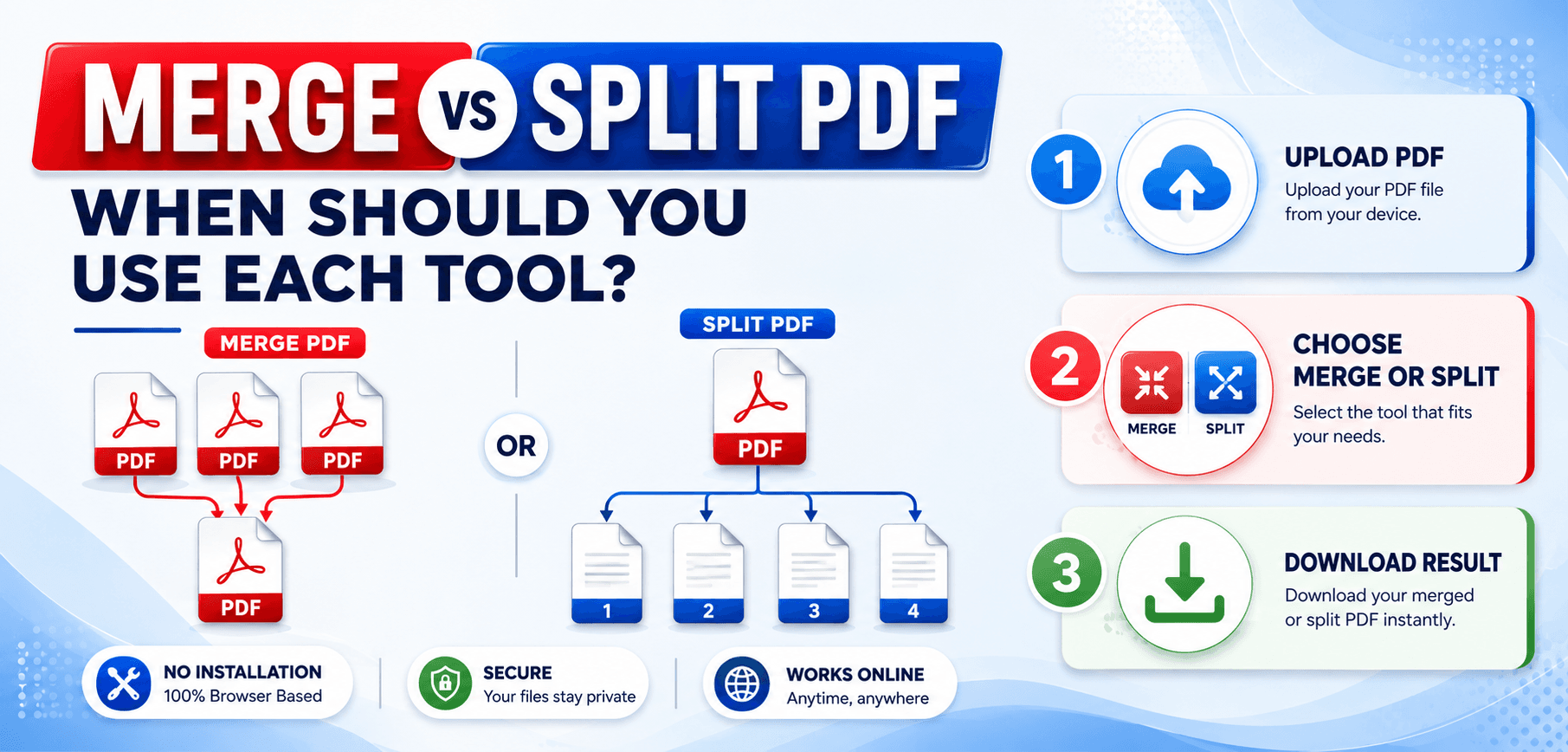
As we navigate through 2026, PDF document management has never been more vital. From remote work environments to digital classrooms, the Portable Document Format (PDF) remains the undisputed standard for sharing, storing, and presenting information. Its universal compatibility ensures that your documents look the same on a smartphone in Tokyo as they do on a desktop in New York.
However, handling these digital documents isn't always straightforward. Sometimes, you receive a massive, unmanageable 500-page report when you only need a single chapter. Other times, you have dozens of individual scanned receipts that need to be sent as one cohesive expense report.
This is where two of the most popular digital tools come into play: the PDF merger and the PDF splitter. In this comprehensive guide, we will break down the debate of Merge vs Split PDF. We will explore exactly what each tool does, outline their real-world applications, and help you decide when you should use each tool to streamline your workflow.
What Is a PDF Merge Tool?
Definition and Functionality
A Merge PDF tool is a digital utility designed to take two or more separate PDF documents and append them together in a specific sequence to create a single, unified file. Think of it as a digital stapler or binder.
How Merging PDFs Works
When you use a PDF merger, the software reads the internal structure of the uploaded documents. It then rewrites the code to align the pages sequentially. For example, if you upload File A (3 pages) and File B (2 pages), the tool will output File C containing all 5 pages in the order you specified.
Benefits of Combining Multiple PDF Files
Combining multiple files eliminates digital clutter. Instead of sending an email with 15 separate attachments—which can easily confuse recipients or trigger spam filters—you can send one neatly organized document. It creates a seamless reading experience and simplifies document archiving.
What Is a PDF Split Tool?
Definition and Functionality
Conversely, a Split PDF tool acts as a digital pair of scissors. It allows you to take a single, often bulky PDF document and divide it into multiple smaller files. You can extract specific pages, split the document by file size, or break it down into individual one-page documents.
How Splitting PDFs Works
When you separate PDF pages, the splitter tool duplicates the necessary internal resources (like fonts and images) required for the extracted pages and generates entirely new, self-contained PDF files. If you extract pages 5 through 10 from a 50-page document, the tool safely generates a new 6-page file without altering your original document.
Benefits of Separating Large PDF Files
Splitting files is essential for focus and efficiency. It allows you to isolate relevant information without forcing a client or colleague to scroll through hundreds of irrelevant pages. Furthermore, it helps bypass strict file size limitations on email and cloud storage platforms.
Merge PDF vs Split PDF: Key Differences
To truly understand Merge vs Split PDF, it helps to compare them across several critical categories:
Purpose
A merger consolidates scattered information into one place. A splitter extracts and isolates specific information from a larger source.
File Organization
Merging reduces the total number of files on your hard drive, creating a tidy archive. Splitting increases files but makes them highly targeted.
Workflow Efficiency
Merging is a "finalizing" action (preparing a final portfolio). Splitting is an "initiating" action (dividing a dataset among team members).
Security Considerations
Splitting is excellent for security. You can omit a page containing sensitive data before public distribution.
When Should You Use a Merge PDF Tool?
A PDF merger is incredibly versatile. Here are some of the most common real-world scenarios where consolidating documents is the best choice:
- Combining Invoices: Freelancers and accountants merge single-page invoices into a "Monthly Billing" document for easier payment processing.
- Merging Project Reports: When collaborating, different team members submit separate PDFs. A project manager merges these into a cohesive final report.
- Creating Portfolios: Designers, writers, and architects can combine case studies, resumes, and cover letters into one stunning digital portfolio.
- Joining Scanned Pages: If using a basic home scanner that scans one page at a time, a merge tool reconstructs the multi-page document digitally.
- Combining Contracts and Agreements: Legal professionals frequently merge Terms of Service, NDAs, and signature pages into one comprehensive packet.
When Should You Use a Split PDF Tool?
On the other hand, knowing how to separate PDF pages is just as important. You should utilize a PDF splitter in the following situations:
- Extracting Specific Pages: If a colleague sends a 200-page manual, but you only need three pages, you can extract them for quick reference.
- Separating Chapters from eBooks: Students studying massive digital textbooks can split the PDF by chapter for mobile reading.
- Sharing Selected Sections of Reports: Split an annual company report to send the marketing budget solely to the marketing team.
- Reducing File Size: If a file is too large to email, splitting it in half allows you to send "Part 1" and "Part 2" consecutively without quality loss.
- Protecting Confidential Information: Businesses can omit pages containing sensitive data (like Social Security numbers) before public distribution.
Common Mistakes to Avoid
When utilizing online PDF tools, users frequently make minor errors that cause major headaches. Avoid these common mistakes:
- Merging Unrelated Documents: Keep merged documents strictly relevant to a single topic or client.
- Splitting Files Incorrectly: Double-check page ranges before executing a split. Extracting pages 10-15 when you meant 10-16 forces a redo.
- Losing Page Order: When combining files, ensure your files are ordered correctly before hitting merge.
- Forgetting Backups: Always retain a copy of your original, unedited documents in case you need to revert.
- Ignoring File Security: Ensure you are using secure, encrypted online tools that delete your files from their servers after processing.
Best Practices for PDF Management in 2026
- Organize Files Systematically: Use clear naming conventions (e.g., `2026_Q1_Report.pdf`) before uploading files.
- Use Secure PDF Tools: Verify that the service uses SSL/TLS encryption.
- Compress Files When Necessary: After merging high-quality documents, run the final document through a PDF compressor.
- Keep Backup Copies: Utilize cloud services to maintain an untouched archive of your original files.
- Optimize Documents Before Sharing: Add page numbers and bookmarks to large merged documents to enhance user experience.
Desktop Software vs. Online Tools
When it comes to merging or splitting PDFs, you generally have two options: installing dedicated desktop software or using cloud-based online tools. Here's a quick comparison to help you choose:
- Online Tools: Perfect for quick, one-off tasks. They require no installation, work across all devices (including smartphones), and are often free for basic usage. Just ensure you use a service with strong privacy policies that deletes files after processing.
- Desktop Software: Best for enterprise environments dealing with highly confidential, air-gapped data or for users who need to process massive files without relying on an internet connection.
Related Articles
Frequently Asked Questions (FAQs)
Is merging PDFs safe?
Yes, merging PDFs is completely safe as long as you use reputable online PDF tools with advanced encryption that delete your files from servers after processing.
Does splitting PDFs affect quality?
No. Splitting a PDF simply extracts the exact data, fonts, and images from the selected pages and repackages them. There is zero loss in visual fidelity.
Can I merge password-protected PDFs?
Most basic tools require you to unlock the PDF first. You will need to use a dedicated PDF unlock tool to remove the password before combining it.
Which tool should I use first: merge or split?
It depends entirely on your project! If you have a massive raw data file, split it to extract what you need. To combine extracted data with a cover page, you would merge them.
Are online PDF tools secure?
Industry-leading online PDF platforms in 2026 are highly secure. They operate on cloud infrastructures that guarantee your files are never manually viewed or stored permanently.
Conclusion
The debate of Merge vs Split PDF doesn't have a single winner—they are two sides of the same highly efficient coin. A PDF merger is your go-to solution for consolidation, perfect for compiling reports and creating a clean viewing experience. On the flip side, a PDF splitter is your tool for precision, empowering you to extract vital pages and protect confidential information.
Understanding when to combine PDF files and when to separate PDF pages is the hallmark of excellent PDF document management.
Ready to take control of your digital documents?
Stop fighting with cluttered attachments and bloated files. Try our fast, secure, and free online PDF tools today!