
OCR vs Manual Data Entry: Which Saves More Time?
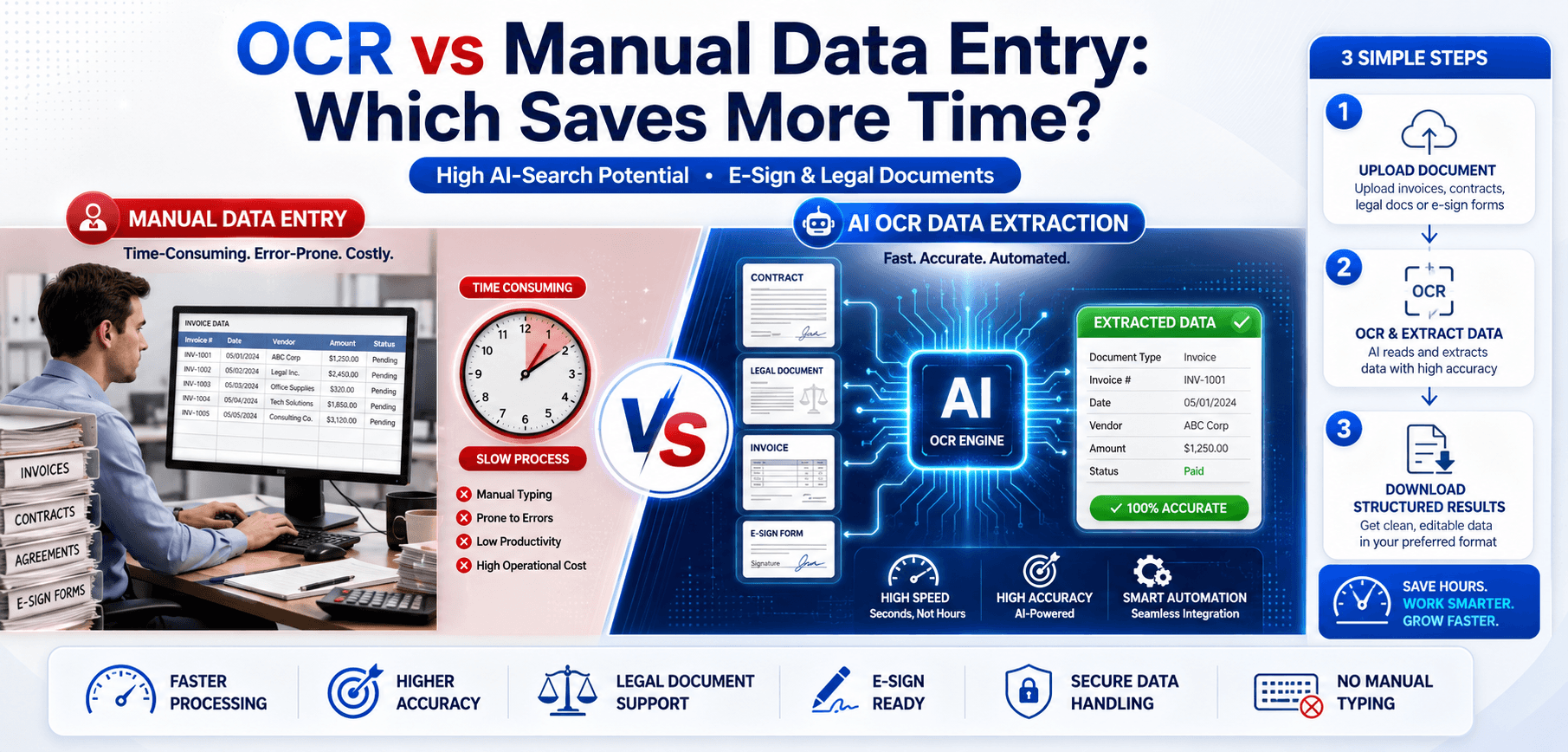
In 2026, the volume of digital documents flowing through businesses is staggering. From vendor invoices and legal contracts to HR records and client intake forms, companies are drowning in unstructured data.
Historically, the only way to process this influx of paperwork was through manual data entry—a slow, error-prone, and expensive process. Today, however, the rise of OCR (Optical Character Recognition) and AI document automation has fundamentally changed how legal teams, accounting departments, and enterprises operate.
But the core question remains: Does OCR truly save more time than manual data entry? In this comprehensive guide, we will compare OCR vs Manual Data Entry side-by-side, exploring how automated document processing is revolutionizing modern workflows.
What Is OCR?
OCR stands for Optical Character Recognition. It is a powerful software technology that scans images of printed, handwritten, or typed text—such as a scanned PDF or a photograph of a receipt—and converts that image into machine-readable, editable text.
Modern AI-powered OCR doesn't just read letters; it understands document context. By converting a scanned PDF to text, an OCR PDF tool allows computers to search, edit, and automatically route document data into accounting systems, CRM software, or legal databases without human intervention.
What Is Manual Data Entry?
Manual data entry is the traditional method of document processing. It involves a human operator physically reading a printed document or viewing a scanned image on a monitor, and typing that information by hand into a digital system.
Typical workflows include accounting clerks typing invoice totals into an ERP system, legal assistants transcribing case files, or HR personnel entering employee onboarding data from paper forms. While simple to implement, manual entry is highly susceptible to fatigue and typographical errors.
OCR vs Manual Data Entry: Side-by-Side Comparison
| Feature | OCR Technology | Manual Data Entry |
|---|---|---|
| Processing Speed | Near-instantaneous (seconds per page) | Very slow (3-15 minutes per page) |
| Accuracy | 98-99%+ for typed text; AI self-corrects | Varies heavily; prone to typos (est. 90-95%) |
| Scalability | Effortlessly scales to millions of documents | Requires hiring more staff to scale |
| Cost Efficiency | High ROI; software costs fraction of labor | Expensive ongoing payroll and benefits costs |
| Human Error Risk | Extremely low; predictable failure modes | High risk of transposition and omission errors |
| Document Searchability | Generates full-text searchable databases instantly | Only searchable by the specific metadata manually typed |
| Compliance Support | Excellent for consistent, auditable digital trails | Difficult to audit; inconsistent standards |
| Business Productivity | Frees staff for high-value analytical work | Drains morale with repetitive, low-value tasks |
How Much Time Can OCR Save?
When deployed correctly, OCR software reclaims thousands of hours. Consider these examples:
Invoice Processing
Instead of spending 5 minutes manually entering line items, vendor details, and tax codes into QuickBooks, invoice OCR extracts the data automatically in 3 seconds. For 1,000 invoices a month, that is over 80 hours saved.
Bank Statements
Reconciling printed bank statements can take days. OCR converts scanned statements directly into Excel spreadsheets, saving finance teams massive amounts of time.
Contracts & Legal Agreements
Reviewing a 50-page scanned contract for a specific liability clause can take an hour manually. OCR makes the document instantly searchable (Ctrl+F), reducing search time to seconds.
HR Records & Tax Documents
Onboarding packets and tax forms can be batch-processed via OCR, instantly updating employee databases without HR staff lifting a finger.
OCR for Legal Documents
The legal industry is notoriously paper-heavy. OCR for legal documents is no longer optional; it is a necessity for competitive law firms.
- Contract Digitization: Legacy paper contracts are scanned and OCR'd to create a centralized, searchable contract repository.
- Legal Record Management: Managing thousands of case files digitally reduces physical storage costs and prevents lost documents.
- Case File Searchability: During eDiscovery, attorneys must search millions of pages. OCR makes scanned evidence text-searchable, a critical requirement for modern litigation.
- Regulatory Compliance: Digital, searchable records are easier to audit and secure to meet stringent data privacy laws.
- Discovery and Research: Paralegals save countless hours by extracting citations and clauses instantly rather than retyping them.
OCR and E-Sign Workflows
The modern E-Sign document workflow relies heavily on OCR. When a physical document is scanned to be signed digitally:
- Contract preparation: OCR reads the scanned contract to identify blank spaces where signatures and dates should go.
- Digital document review: Reviewers can search the document for errors before sending it out.
- Signature-ready PDFs: Smart tags are placed over the OCR text layer.
- Automated approvals: Once the E-Sign is completed, the final document is archived as a fully searchable, compliant PDF.
By integrating an E-Sign PDF Tool with OCR, businesses achieve a completely paperless, seamless contracting process.
OCR for Business Automation
Document automation touches every facet of a modern enterprise:
Accounting & Finance
Automates accounts payable by scanning receipts and extracting totals directly into expense management systems.
Human Resources
Scans resumes and application forms, extracting skills and contact info directly into the applicant tracking system (ATS).
Procurement Teams
Cross-references scanned purchase orders against incoming invoices automatically to detect discrepancies.
Healthcare & Gov
Processes handwritten patient intake forms and lengthy regulatory filings with high-accuracy ICR (Intelligent Character Recognition).
Benefits of OCR Over Manual Data Entry
- Faster processing: Reduce document turnaround times from days to minutes.
- Reduced labor costs: Eliminate the need for dedicated data entry clerks, reducing overhead.
- Improved accuracy: Mitigate "fat-finger" typing errors that cause massive accounting headaches.
- Better scalability: Handle seasonal spikes (like tax season) without hiring temporary staff.
- Searchable archives: Instantly locate old files using full-text search.
- Increased productivity: Allow staff to focus on strategy, analysis, and customer relations.
When Manual Data Entry Is Still Useful
While OCR is incredibly powerful, it isn't perfect for every situation. Manual entry or human review remains necessary for:
- Extremely messy handwritten notes that AI cannot decipher.
- Highly complex, unstructured forms where data points jump around unpredictably.
- Quality control verification, where a human must review the OCR output for critical financial or medical documents.
- Sensitive document auditing, where legal constraints require human eyes on the data.
The most successful businesses employ a hybrid approach: OCR does 95% of the heavy lifting, and humans handle the 5% of exceptions.
Common OCR Challenges & Best Practices
To maximize the time saved by OCR document processing, you must navigate common pitfalls.
Common Challenges:
- Poor Scan Quality: Blurry or low-resolution documents drastically reduce accuracy.
- Complex Layouts: Documents with nested tables or multi-column newspaper layouts can confuse basic OCR engines.
- Multiple Languages: Documents mixing English, Mandarin, and Arabic require advanced multi-language recognition models.
Best Practices for OCR Document Processing:
- Use high-quality scanners set to at least 300 DPI.
- Choose AI-powered OCR tools like AllPDFTools that offer deskewing and image enhancement.
- Verify extracted data using automated validation rules (e.g., checking if the total equals the sum of line items).
- Automate repetitive workflows by linking your OCR output directly to your CRM or ERP via API.
- Maintain compliance standards by using secure, local browser-based OCR tools that don't leak sensitive data.
OCR for E-Sign and Legal Document Management
For law firms and enterprise legal departments, the combination of OCR and E-Sign is a game-changer. Legal document automation allows attorneys to execute contract data extraction instantly. By converting legacy paper archives into searchable PDFs, a firm can run a "clause search" across millions of past contracts to inform a current case.
Furthermore, tracking compliance and managing signature workflows becomes entirely frictionless when the underlying document text is fully digitized and understood by the management software.
Future of OCR and AI Document Automation in 2026
As we navigate 2026, standard OCR is evolving into Intelligent Document Processing (IDP). We are moving beyond merely extracting text; AI now understands the intent of the document. Automated classification can sort incoming mail into invoices, legal threats, and general inquiries without human routing. Legal AI assistants can read an OCR'd contract and summarize its risks. End-to-end document automation is making the fully paperless office a practical reality.
Frequently Asked Questions (FAQs)
1. What is OCR?
OCR (Optical Character Recognition) is software that converts images of text, such as scanned PDFs or photos, into machine-readable, editable text.
2. Is OCR faster than manual data entry?
Yes. OCR can process documents in seconds, whereas manual data entry takes several minutes per page, making OCR exponentially faster.
3. How accurate is OCR?
Modern AI-enhanced OCR systems can achieve over 99% accuracy on clear, printed documents.
4. Can OCR process legal documents?
Absolutely. OCR is heavily used in the legal industry to digitize case files, contracts, and evidence, making them fully text-searchable for eDiscovery.
5. Does OCR work with scanned contracts?
Yes, OCR converts scanned, image-based contracts into searchable PDFs or editable Word documents, allowing you to copy and edit clauses easily.
6. How does OCR help E-Sign workflows?
OCR reads scanned documents to identify where signature fields belong, enables text searches during review, and ensures the final signed document is archived as a searchable file.
7. Can OCR replace manual data entry completely?
While it replaces the vast majority of manual entry, human review is still recommended for quality control on highly complex or messy handwritten documents.
8. What is the best OCR tool for businesses?
AllPDFTools offers a fast, secure, and accurate OCR platform designed to automate business workflows and digitize legal documents effortlessly.
Conclusion
When comparing OCR vs manual data entry, the winner is clear: OCR saves significantly more time, reduces costly human errors, and enables scalable business growth. While manual entry will always have a small place in handling complex edge cases, relying on it as a primary data processing method in 2026 is a massive drain on productivity.
By embracing OCR and AI document automation, businesses and legal teams can reclaim thousands of hours, turning static paper archives into dynamic, searchable, and actionable data.
Stop typing. Start automating.
Use AllPDFTools to instantly convert your scanned documents and invoices into editable text and searchable PDFs.