
How to Sign PDF Documents Online Securely
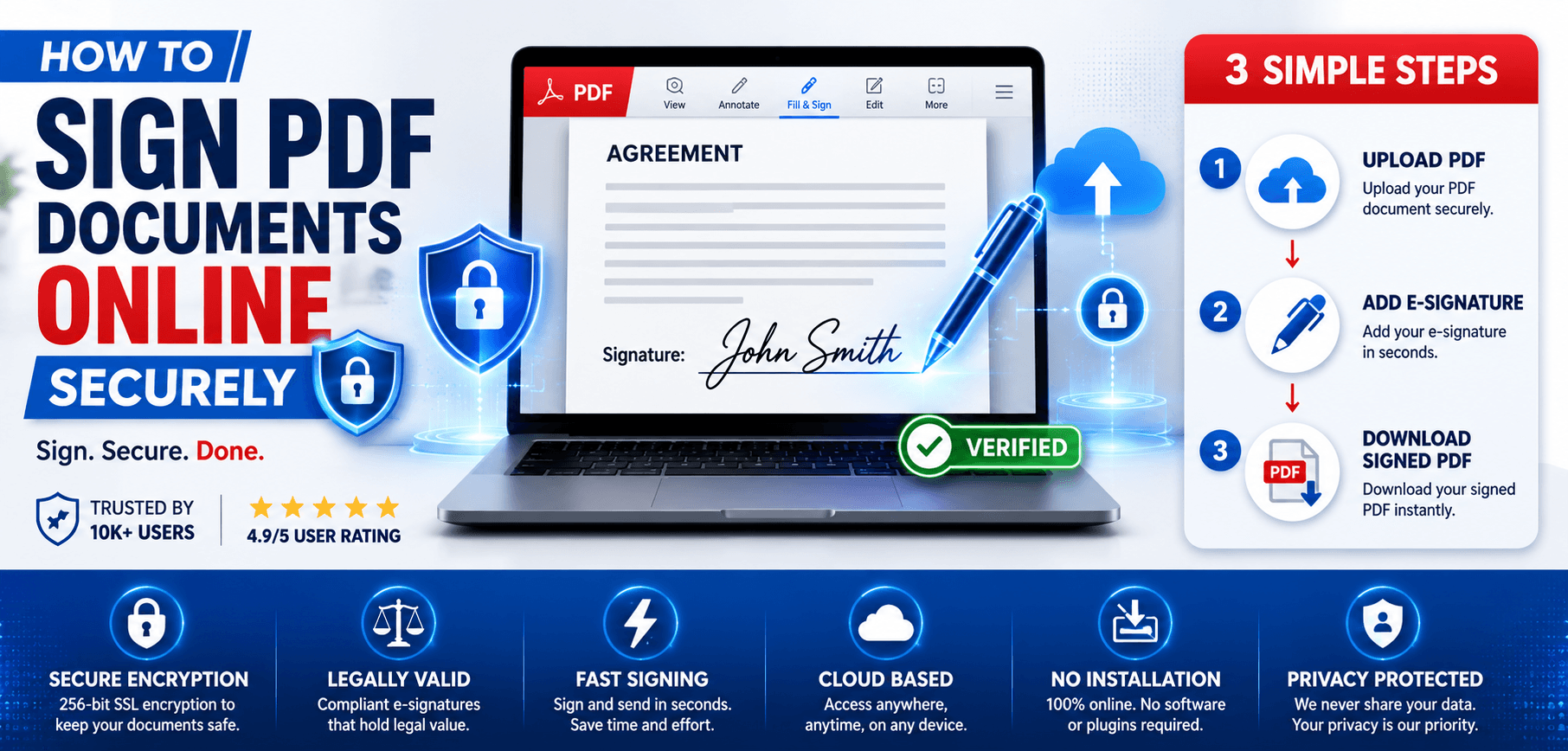
The rise of paperless workflows in 2026 has transformed how we handle agreements. Gone are the days of printing out contracts, signing them with a pen, scanning them back in, and emailing them as bulky attachments.
Today, businesses, freelancers, and HR professionals overwhelmingly prefer digital document signing. However, the convenience of online PDF signers brings an important question to the forefront: How can you sign PDF documents online securely while protecting sensitive personal and corporate data?
In this comprehensive, beginner-friendly guide, we will walk you through the types of PDF signatures, critical security features to look for, and the best practices for applying an e-signature safely.
What Does It Mean to Sign a PDF Online?
To sign a PDF online means to append an electronic mark or cryptographic token to a digital document indicating your intent to agree to its contents. Instead of using physical ink, you use a secure web platform to embed your identity directly into the PDF metadata.
Common use cases for online document signing include:
- Employment agreements: HR teams onboarding new remote employees.
- Contracts and NDAs: Securing business partnerships and intellectual property.
- Client proposals: Rapidly closing sales deals.
- Rental agreements: Landlords executing leases with tenants globally.
- Approval forms: Internal corporate sign-offs for expenses or projects.
Benefits of Signing PDF Documents Online
Adopting a digital signature workflow provides immense advantages over traditional paper processes:
Faster Processing
Turnaround times drop from days to minutes. A contract can be signed and returned while the client is still on the phone.
Remote Accessibility
Sign documents from your laptop, tablet, or smartphone, whether you're at the office or traveling globally.
Reduced Paper Usage
Significantly lower your environmental footprint and eliminate costs associated with printer ink, paper, and courier services.
Better Document Management
Digitally signed PDFs are easier to store in secure cloud environments, making retrieval and auditing instant.
Ultimately, these benefits lead to improved productivity and lower administrative costs across the entire organization.
Types of PDF Signatures
When using an online PDF signer, you typically encounter a few different visual representations of a signature:
| Signature Type | Description | Best Used For |
|---|---|---|
| Typed Signatures | Typing your name using an elegant cursive font generated by the platform. | Standard business forms, internal approvals, software licenses. |
| Drawn Signatures | Using a mouse, stylus, or touchscreen to manually draw your signature on a canvas. | Contracts, HR agreements, mimicking a "wet ink" feel for clients. |
| Uploaded Images | Uploading a transparent PNG or JPG of your actual physical signature. | Executive letters, official company correspondence, branding. |
Electronic Signature vs Digital Signature
It is critical to understand the distinction between general electronic signatures and secure digital signatures.
| Feature | Electronic Signature | Digital Signature |
|---|---|---|
| Purpose | Demonstrates intent to agree to a document's contents. | Cryptographically secures the document and verifies identity. |
| Security Level | Basic to Moderate (Relies on email logs and IP tracking). | High (Uses Public Key Infrastructure (PKI) and encryption). |
| Verification | Verified through the signing platform's audit trail. | Verified through a recognized Certificate Authority (CA). |
| Compliance | Recognized by standard contract laws in most countries. | Meets strict government compliance (eIDAS, IT Act). |
| Typical Use Cases | B2B sales, HR onboarding, basic NDAs. | Tax filings, government tenders, sensitive legal deeds. |
How to Sign PDF Documents Online Securely
Using a platform like AllPDFTools E-Sign PDF makes signing securely an effortless process. Here is your step-by-step guide:
Open the PDF Signing Tool
Navigate to your trusted, secure PDF signing tool. Ensure the website uses an encrypted connection (look for HTTPS in the URL bar).
Upload Your PDF Document
Drag and drop your contract into the browser. Tools utilizing local-browser processing are highly recommended as your file never touches a remote server.
Add Your Signature
Choose your preferred method: draw it smoothly with your mouse, type it in cursive, or upload a pre-scanned PNG image of your signature.
Position the Signature
Drag the signature block to the exact signature line on the document. Resize it to fit the bounding box perfectly.
Review the Document
Always scroll through the entire contract one last time. Verify that no clauses were altered before you append your legally binding mark.
Apply Signature
Click the "Apply" or "Sign" button. The software will embed your signature visually and flatten the PDF to prevent post-signature editing.
Download the Signed PDF
Save the final document securely to your local hard drive or encrypted cloud storage for your permanent records.
Security Features to Look for in a PDF Signing Tool
Not all online PDF signers are created equal. To protect your sensitive data, ensure your chosen platform offers these security features:
- SSL Encryption: Ensures that data transferred between your browser and the server is encrypted and immune to interception.
- Automatic File Deletion: If files are uploaded to a server, the platform must guarantee automatic deletion of your documents within an hour of processing.
- Audit Trails: Advanced platforms track IP addresses, email verifications, and timestamps, producing a legally viable certificate of completion.
- Tamper Detection: The system should lock the PDF after signing so any subsequent unauthorized edits invalidate the signature.
Are Online PDF Signatures Legally Valid?
In most developed nations, including the US (ESIGN Act), the EU (eIDAS), and India (IT Act), electronic signatures carry the same legal weight as a handwritten signature for standard commercial transactions.
The legality hinges on consent and authentication. If you can prove the signer intended to sign, and that the signature belongs exclusively to them (via email logs or IP tracking), the contract is generally enforceable.
Disclaimer: Always consult with legal counsel for highly regulated documents like wills, property deeds, or government filings which may require specific statutory procedures.
Common Mistakes When Signing PDFs Online
- Using unsecured websites: Uploading sensitive contracts to random, unverified free tools risks data theft.
- Failing to save copies: Always download the finalized, signed PDF immediately for your records.
- Not verifying document contents: Skimming a contract online can lead to signing altered terms. Always review thoroughly.
- Weak authentication practices: Using shared email accounts to receive and sign contracts undermines the identity verification process.
Best Practices for Secure PDF Signing
- Use trusted PDF signing platforms with local-browser processing like AllPDFTools.
- Verify the signer’s identity by sending links only to official corporate emails.
- Always review the document thoroughly before applying your signature.
- Enable security protections like PDF password protection before sharing.
- Store signed documents securely in encrypted, backed-up cloud storage.
- Maintain the digital audit records provided by the signing platform.
PDF Signing for Businesses
Incorporating e-signatures fundamentally improves business workflows:
- HR Onboarding: Candidates sign offer letters instantly from their phones, preventing drop-offs.
- Vendor Agreements: Procurement teams secure NDAs and supply contracts without postal delays.
- Sales Contracts: Sales reps close deals on the spot by emailing a link to a signable PDF proposal.
- Internal Approvals: Managers quickly sign off on expense reports and project budgets digitally.
Future of E-Signatures in 2026
As we navigate 2026, the landscape of secure document signing is evolving rapidly. We are seeing the integration of AI-powered document verification to instantly detect tampered clauses, the rise of biometric authentication (FaceID/TouchID) linked directly to PDF signatures, and the exploration of blockchain technology to create immutable, decentralized audit trails for high-value contracts.
Frequently Asked Questions (FAQs)
1. How can I sign a PDF online?
You can sign a PDF online by uploading your document to a secure tool like AllPDFTools, drawing or typing your signature, positioning it on the page, and downloading the finalized file.
2. Is it safe to sign PDF documents online?
Yes, provided you use a trusted tool that utilizes SSL encryption and securely processes the document without permanently storing your sensitive data on external servers.
3. Are electronic signatures legally valid?
Yes, electronic signatures are legally binding for the vast majority of personal and business transactions under laws like the ESIGN Act and eIDAS.
4. What is the difference between an electronic signature and a digital signature?
An electronic signature proves intent to sign (like drawing your name), while a digital signature uses cryptographic keys issued by a trusted authority to provide high-level security and non-repudiation.
5. Can I sign PDFs on my phone?
Absolutely. Modern online PDF signers are mobile-responsive, allowing you to draw your signature directly on your smartphone screen.
6. How do I protect sensitive documents while signing?
Ensure the platform uses HTTPS, process documents locally when possible, and apply a password to the PDF after signing using a PDF protection tool.
7. What is the best online PDF signing tool?
AllPDFTools offers an exceptional, free e-Sign tool that processes files locally in your browser, ensuring maximum privacy and security without adding watermarks.
8. Can multiple people sign the same PDF?
Yes, a PDF can be routed to multiple individuals sequentially, allowing each person to add their electronic signature to the appropriate signature block.
Conclusion
Learning how to sign PDF documents online securely is a fundamental skill for operating in today’s digital-first business environment. By understanding the different types of signatures, avoiding common security mistakes, and adhering to best practices, you can streamline your workflows without compromising data privacy.
Always rely on trusted platforms that prioritize your security. With tools that process files directly in your browser, your sensitive contracts remain yours alone.
Sign Your PDFs Securely Today
Use AllPDFTools to securely e-sign your agreements entirely within your browser. 100% private, fast, and free.