How to E-Sign a PDF: Electronic vs. Digital Signatures
Gone are the days of printing a 50-page contract, signing the last page in ink, scanning it back into your computer, and emailing a blurry, massive file. The transition to paperless workflows has made signing documents faster, cheaper, and significantly more secure.
However, navigating the world of digital agreements can be confusing due to overlapping terminology and varying international laws. Is an image of your signature legally binding? What is the difference between an Electronic Signature and a Digital Signature? In this comprehensive guide, we will break down the legal frameworks governing e-signatures and show you how to securely sign PDFs entirely in your browser.
1. Electronic vs. Digital Signatures
These terms are frequently used interchangeably, but from a legal and technical standpoint, they are vastly different technologies.
Electronic Signature (e-Sign)
This is a broad term encompassing any electronic process that indicates acceptance of an agreement. It can be a drawn signature on a tablet, a pasted PNG image of your ink signature, or even a typed name at the bottom of an email. This is what 99% of people use for daily business contracts.
Digital Signature
This is a highly secure subset of e-signatures. It uses Public Key Infrastructure (PKI) cryptographic algorithms. It binds a "certificate of authority" to the document. If a single pixel is altered after the document is digitally signed, the mathematical hash breaks, and the signature is invalidated.
2. Are E-Signatures Legally Binding?
In almost all industrialized nations, yes. An electronic signature carries the exact same legal weight as an ink signature on paper, provided certain conditions regarding "intent to sign" are met.
Global Legal Frameworks
- United States: The ESIGN Act (2000) and UETA establish that electronic records and signatures cannot be denied legal effect solely because they are in electronic form.
- European Union: The eIDAS regulation (2014) standardizes e-signatures across the EU, recognizing Simple, Advanced, and Qualified Electronic Signatures.
- Exceptions: Certain documents, such as wills, trusts, eviction notices, and court orders, frequently still require physical "wet" signatures or notarization depending on local jurisdiction.
3. The Flattening Requirement
If you paste an image of your signature into a Word Document and save it as a PDF, or if you use a basic PDF editor to place a signature graphic, you must be incredibly careful about Flattening.
If a PDF is not flattened, the signature exists as a floating, editable annotation layer. The recipient of the contract could theoretically click on your signature image, copy it, and paste it onto an entirely different contract without your knowledge.
When you use a professional tool like SmartPDFs Plus to e-sign, the final generation step algorithmically merges your signature into the vector Base Layer of the PDF. This prevents casual tampering and ensures the signature cannot be easily moved or copied.
4. How to Securely E-Sign a PDF
Many corporate e-signature platforms require you to upload your sensitive contracts to their cloud servers, where they are stored indefinitely. Our WebAssembly-powered tool processes the signature entirely in your browser's RAM for absolute privacy.
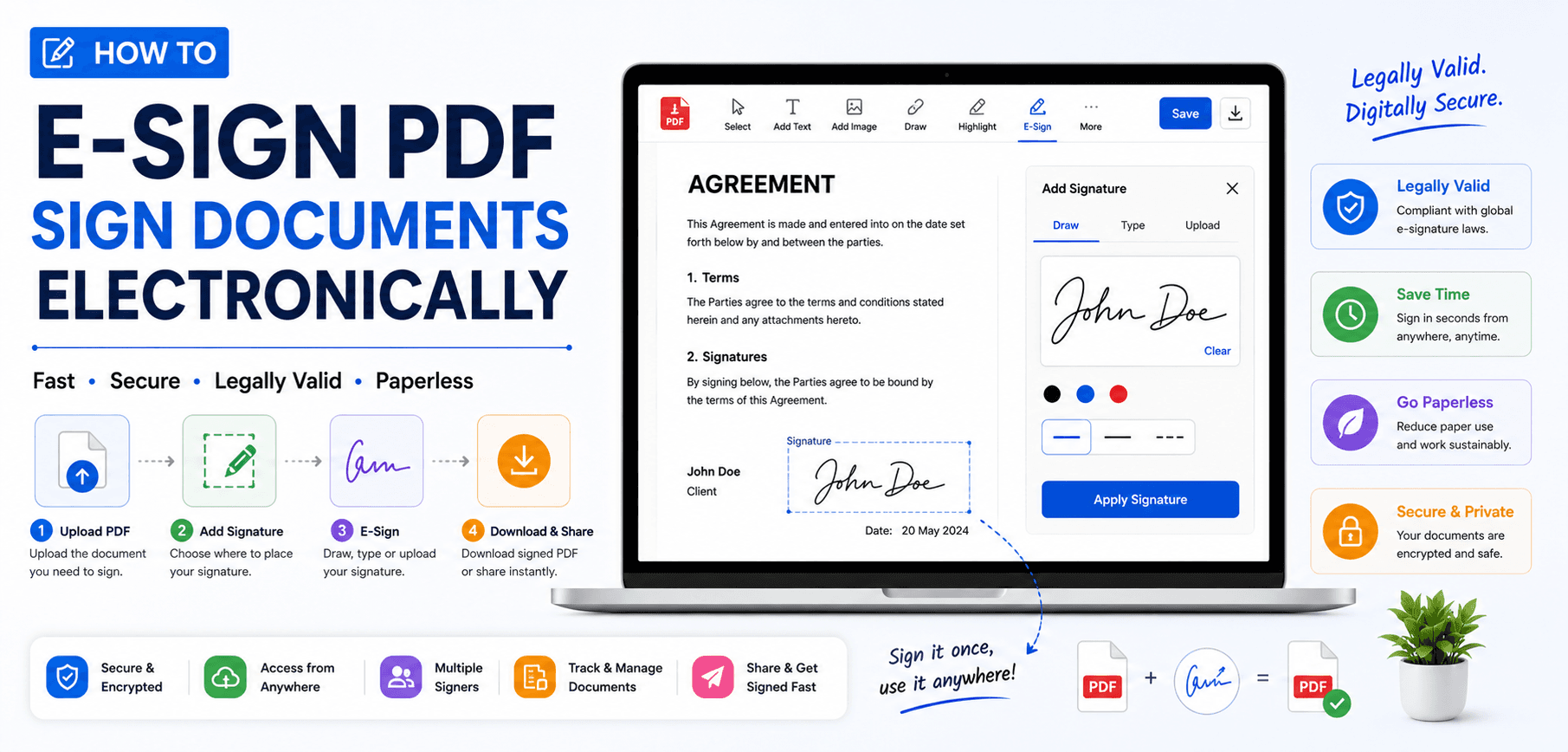
- 1
Open the Document Locally
Navigate to the SmartPDFs Plus E-Sign tool. Drag and drop your PDF into the viewer. The file remains on your device.
- 2
Create Your Signature
Click the Signature tool. You can use your mouse or trackpad to draw a signature, type your name using a cursive font, or upload a pre-scanned PNG image of your ink signature.
- 3
Position and Scale
Drag the signature to the designated dotted line on the contract. Use the bounding box handles to scale it to the appropriate size.
- 4
Flatten and Export
Click Download. The engine will merge the signature into the base document and generate a secure, flattened PDF ready to be emailed back to the sender.
Frequently Asked Questions
Does an e-signature need to look exactly like my ink signature?
No. Legally, the validity of an e-signature rests on the "intent to sign" and the "association" of the mark with the individual. A typed name or a stylized font is generally just as valid as a physically drawn replica.
What is an Audit Trail?
Enterprise platforms like DocuSign provide an audit trail—a log of IP addresses, timestamps, and email verification attached to the signature. While our tool allows you to sign documents instantly and privately without accounts, it does not generate third-party cryptographic audit trails.
Is it safe to upload a picture of my signature?
Yes, if the processing is local. Our tool processes your uploaded signature image locally in your browser memory. However, you should never upload a PNG of your raw signature to untrusted, cloud-based conversion websites.
Sign Your Contracts Instantly
Draw, type, or upload your signature directly onto PDFs securely within your browser. No account required.